The UptimeRobot alternative that wakes you.
UptimeRobot pings your site and emails you when it drops, then leaves you to notice. Sitedown keeps that simple check, confirms the outage from more than one region so you are not paged over a blip, and rings a call-style phone alarm through Do Not Disturb, with branded status pages in the same free account.
Free, no card. Add your own site and watch it in under a minute. See how it works · Pricing

Sitedown vs UptimeRobot, feature by feature.
The same uptime you rely on, plus the confirmation, status pages and alarm most teams wish they had switched to sooner.
| Feature | UptimeRobot | Sitedown |
|---|---|---|
| Uptime monitoring | ||
| Multi-region confirmation | Limited | |
| SSL & domain expiry alerts | ||
| Branded status pages | Limited | |
| Maintenance windows | Paid | |
| Incident management | Limited | |
| Call-style phone alarm | ||
| One-minute checks | Paid | |
| Free tier | ||
| Starting price | $7/mo | $4.95/mo |
Why teams pick Sitedown over UptimeRobot.
UptimeRobot earned its reputation the honest way: it does one thing, it does it cheaply, and it has been pinging websites for people since long before uptime monitoring was fashionable. If all you need is a five-minute HTTP check and an email when a page stops responding, UptimeRobot is a perfectly good tool and its generous free tier is why so many indie developers start there.
The reason people look for an UptimeRobot alternative is usually the false alarms and the thin extras. A single vantage point flags an outage that was really a blip in one datacenter, the status page is basic, and the alert is an email you can sleep through. Sitedown keeps the exact uptime monitoring you rely on, confirms a real outage from more than one region before it pages you, and puts branded status pages, SSL and domain expiry alerts and a call-style phone alarm in the same account.
The trade with UptimeRobot is not price, it is polish and reach. You still want confirmation you are not being paged over noise, a status page your users trust, and an alert that cuts through Do Not Disturb at 3am. Sitedown folds those into one plan. The free tier gives you uptime, a status page and the mobile app with no card, and you can add a URL and see the difference in under a minute.

Switching from UptimeRobot to Sitedown.
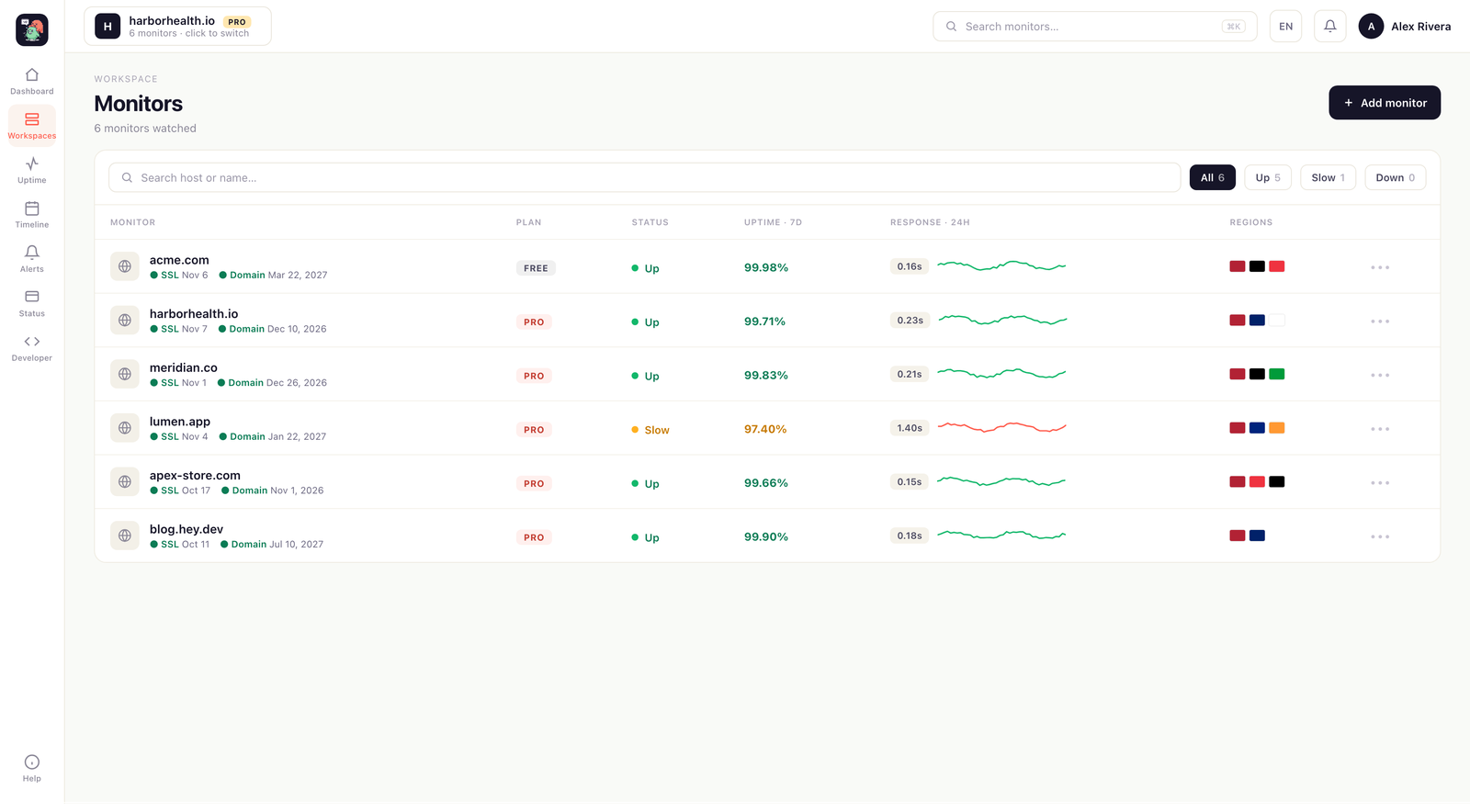
Switch and you keep everything UptimeRobot gave you: HTTP, ping, TCP, DNS, API and keyword checks, SSL and domain expiry alerts, and a public status page your users can trust. Sitedown confirms an outage from more than one region before it wakes you, so a single blip in one datacenter does not become a false alarm at 3am. If uptime is the whole job today, nothing about that job gets worse.
What you gain is reach and clarity. Checks run as often as every minute on Pro, response-time history shows a slow site before it becomes a down one, and branded status pages on your own domain carry real 90-day history and incident timelines. When something breaks, the phone-app alarm rings through Do Not Disturb like a phone call, not a notification you sleep through, and alerts also fan out to Slack, Discord, Telegram, email and webhooks.
Migration is genuinely a five-minute job. There is nothing to install to start watching a site, you add the domain and monitoring begins, and the free tier needs no card. Yearly billing runs about 25% under monthly if you decide to stay.
Free site monitoring, not a trial.
Most people looking for free website monitoring end up on a 14-day trial that turns into a bill. Sitedown gives you real free uptime monitoring: watch 10 monitors on a 15-minute interval, get a branded status page, and keep SSL and domain-expiry alerts, with no credit card. It covers website, API and server uptime with response-time history and mobile-app alerts, so you see a problem the moment it starts. When you outgrow uptime monitoring free, one flat plan adds one-minute checks, multi-region confirmation, every alert channel and unlimited status pages, no per-seat tax. Website uptime monitoring free is a real plan here, not bait.
Compare Sitedown with the rest.
How to switch from UptimeRobot without a monitoring gap.
Migrating off UptimeRobot is a five-minute job, not a project. You keep UptimeRobot live while you set Sitedown up, move your sites and alerts across, publish a branded status page, and only then cancel. Here is the exact order.
-
01
Keep UptimeRobot running while you set up
No rip-and-replace. Create a free Sitedown account and add your sites there first, and UptimeRobot stays live the whole time, so there is never a monitoring gap during the move.
-
02
Add your sites and endpoints
Point Sitedown at the same URLs, domains and API endpoints you watch in UptimeRobot. Uptime checks, SSL and domain-expiry monitoring and a public status page turn on the moment a site is added: no agent to install, no DNS change.
-
03
Wire up the alerts you already use
Connect email, Slack, Discord, Telegram or a signed webhook, and install the Sitedown Alerts phone app. The call-style Alarm level rings through silent mode and Do Not Disturb for the 3am outage you cannot sleep through, something UptimeRobot cannot do.
-
04
Publish a branded status page
Stand up a status page on your own domain with real 90-day history and incident timelines, so your users stop emailing "is it just me?" during an outage. It goes live in minutes, with nothing UptimeRobot asks you to host yourself.
-
05
Run both for a cycle, then cancel UptimeRobot
Watch the two side by side for a billing cycle. Once you trust the Sitedown checks, alerts and status page, cancel UptimeRobot and consolidate. Most teams find the multi-region confirmation and the phone alarm are the parts they wish they had switched to sooner.
Frequently asked questions.
Everything people ask before they switch from UptimeRobot. Still unsure? We are one message away.
Yes. Sitedown does the same uptime monitoring, SSL and domain expiry alerts and public status pages UptimeRobot is known for, then adds multi-region confirmation, one-minute checks, branded status pages and a call-style phone alarm so a false alarm and a missed page are far less likely.
In minutes. There is nothing to install to start monitoring. You add your domain, checks begin from multiple regions, and you can point alerts at email, Slack, Discord, Telegram, webhooks or the phone-app alarm. No export or import step is required.
Yes, and it confirms an outage from more than one vantage point before it pages you, which cuts the false alarms you get when a single region has a hiccup. It also watches SSL and domain expiry so a lapsed certificate does not surprise you.
There is, with no card required. The free tier covers uptime monitoring, a status page and the mobile app. Pro adds one-minute checks, multi-region confirmation, response-time history and every alert channel, and yearly billing is roughly 25% cheaper than monthly.
Alerts fan out to Slack, Discord, Telegram, email, webhooks and a mobile app. The app can ring a call-style alarm that sounds through silent mode and Do Not Disturb until you acknowledge it, which is stronger than a plain email for a 3am outage. You choose Silent, Notification or Alarm per site and per event.
Not for false alarms. Sitedown confirms an outage from more than one region before it alerts you, which cuts the noise a single flaky vantage point creates. You choose the level per site and per event, from silent to a call-style alarm that rings through Do Not Disturb only when something real breaks.
Better monitoring, for free.
No card, no install. Add your site and get multi-region uptime checks, SSL and domain expiry alerts, a branded status page and a phone alarm in one account.